
Logcat without
the noise.
Find the crash. Fix it faster.
Keynobi is a free, open-source Mac app that runs next to Android Studio. Filter live device logs down to your app, catch crashes the moment they happen, and let Claude Code or Codex debug from the same data.
Apple Silicon · Intel Mac? Get the Intel build · notarized
- 202GitHub stars
- v0.1.30latest signed release
- 56MCP tools for your agent
- MITopen source, runs locally
Same crash, two streams
Your crash is in there. Somewhere.
A busy device writes thousands of lines a minute, and most of them come from the system. Keynobi keeps the lines from your app and groups the crash so you can read it. Try the filters yourself.
The crash is line 11. It scrolls away before you find it.
showing 10 of 10 lines
The whole loop
Everything around the log, one window.
Build, run, and inspect without switching tools. Logcat stays in view the whole time.
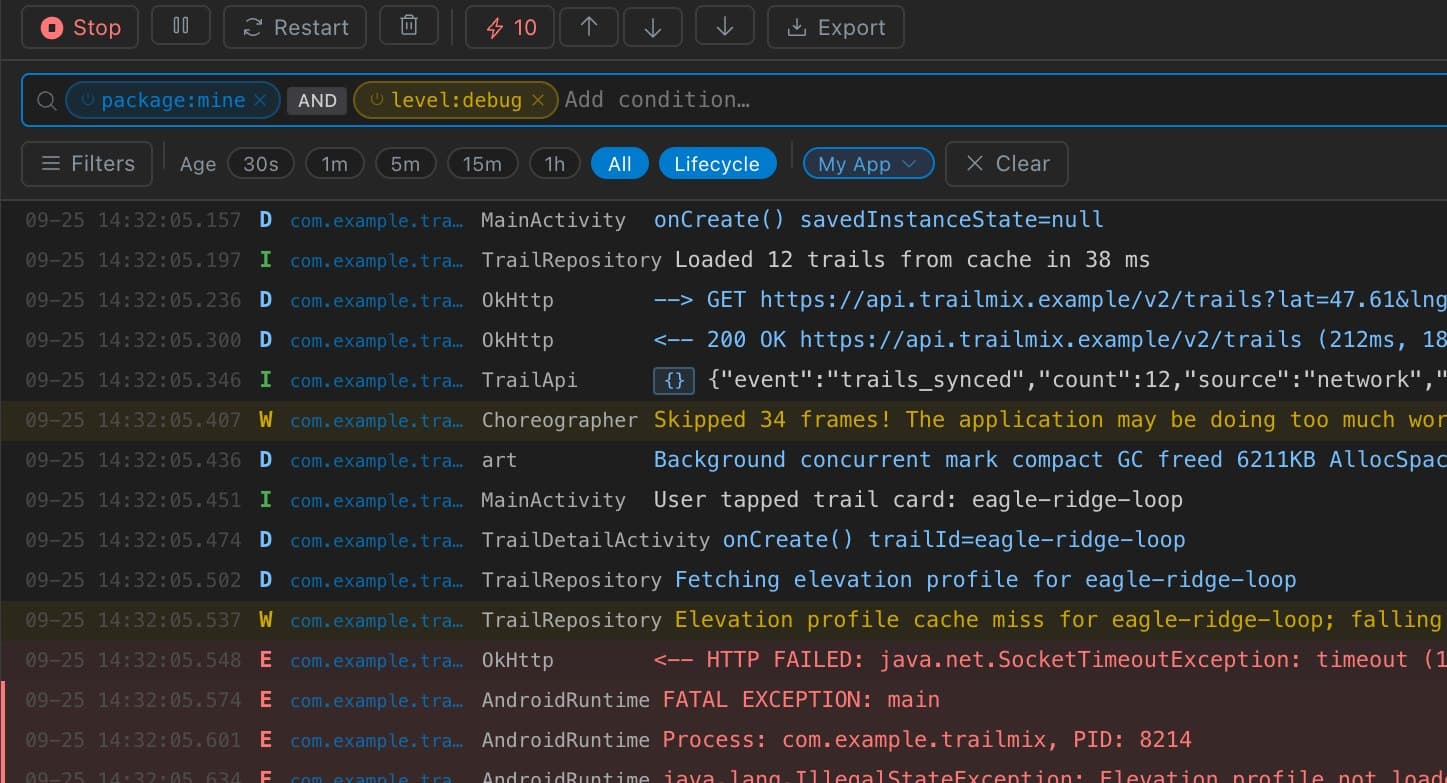
Filters that think like you do
Combine package, level, tag, age, and crash filters with AND or OR, negate the noisy ones, and save the sets you use every day.
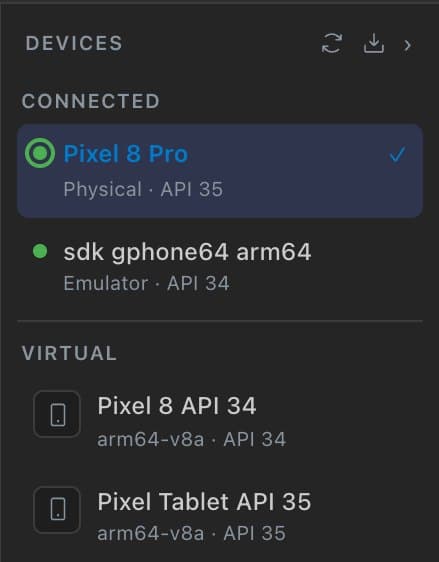
Devices and emulators
Pick the deploy target, create and launch AVDs, and keep install and launch pointed at the right device.
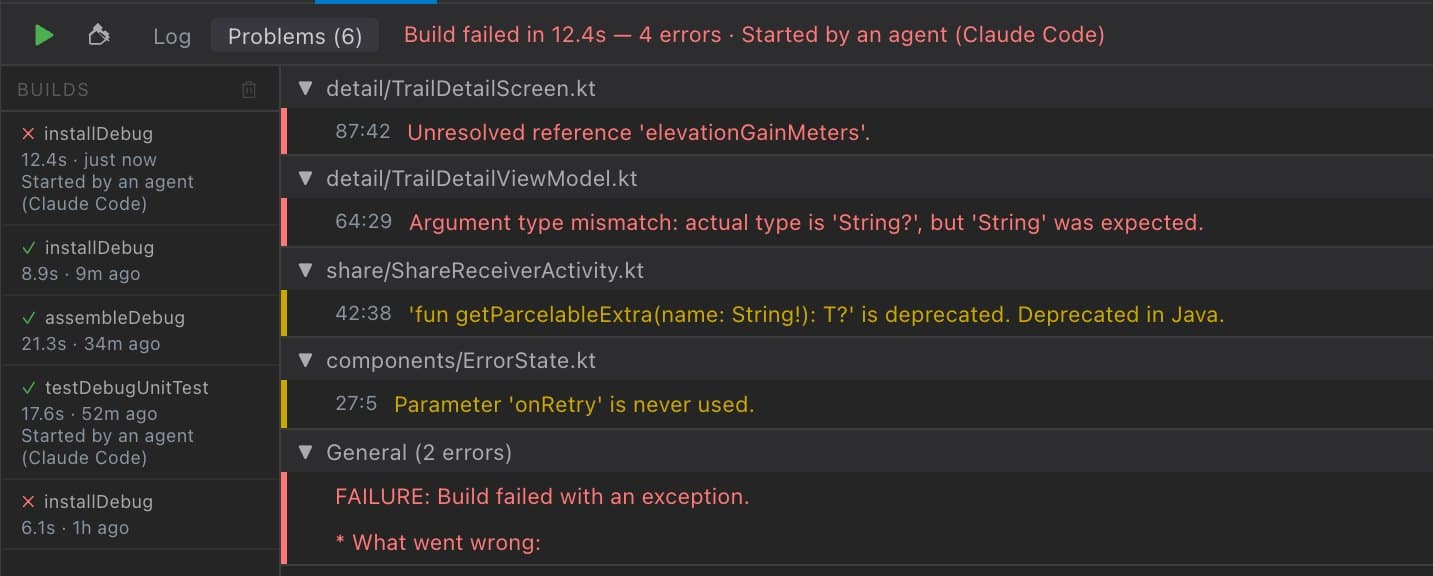
Build, install, launch
Run Gradle with ⌘R, read errors as structured Problems, switch variants, and look back through build history.
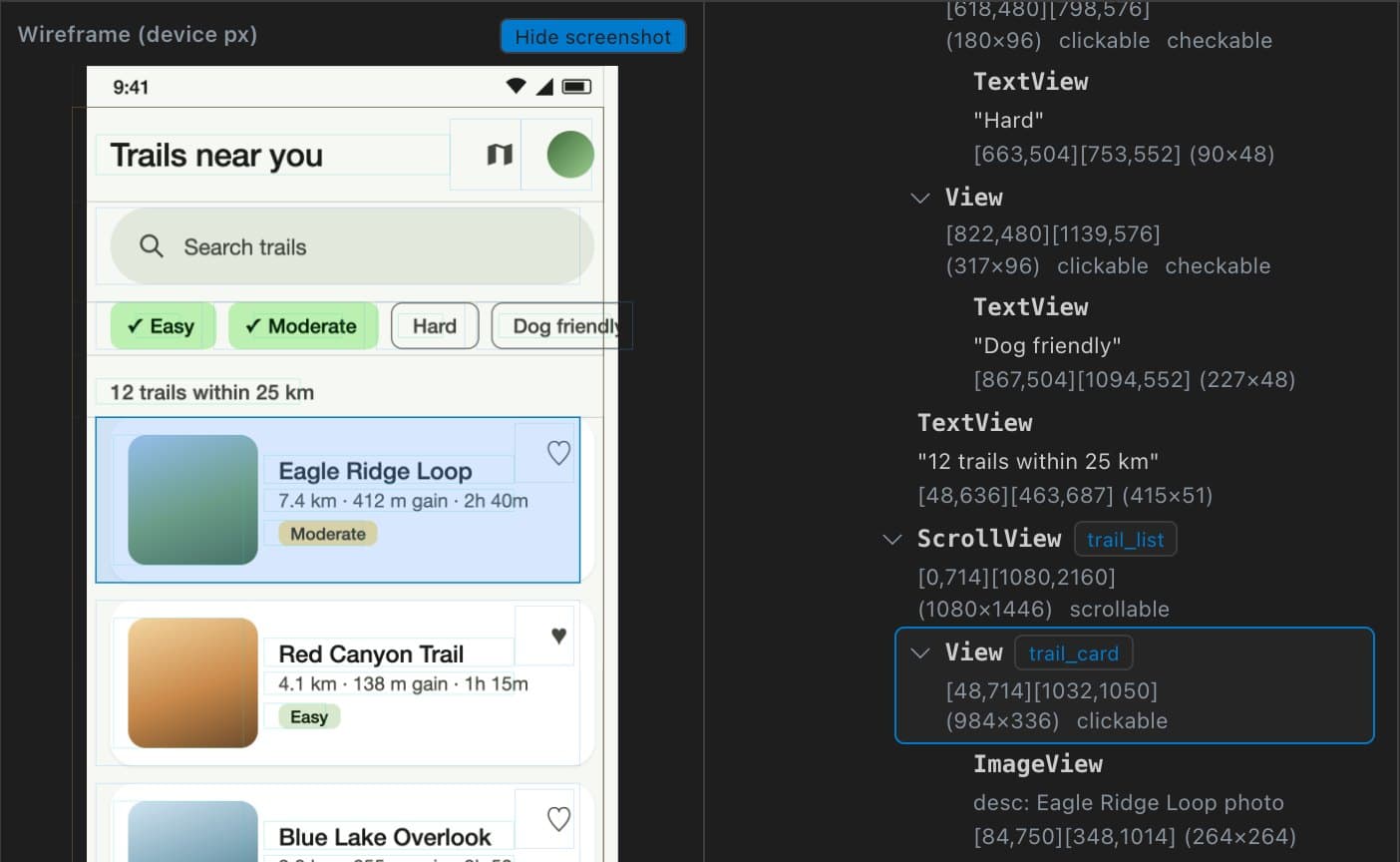
See what automation sees
Capture the UI Automator tree, search it, and hit-test the wireframe to find the node behind any view.
For AI coding agents
Your agent sees the crash you see.
Keynobi's MCP server gives Claude Code and Codex your real build output, logs, and device, so they fix from evidence instead of guessing from pasted screenshots.
- Android tools
- 56
- setup command
- 1
- cloud proxies
- 0
- Works with Claude Code and Codex over local stdio
- Builds run only in projects you trusted
- Publish and upload Gradle tasks are blocked
- App actions stay scoped to your app package
- you ›The app crashes when I open the feed. Find out why and fix it.
get_crash_logs → 1 crash · NullPointerException in com.myapp
get_crash_stack_trace(package: "com.myapp") → HomeFragment.bindData (HomeFragment.kt:112)
agent ›bindData reads the first feed item before the list has loaded. Adding a guard and an empty state.
Edited app/src/main/java/com/myapp/ui/HomeFragment.kt
run_gradle_task(task: "assembleDebug") → BUILD SUCCESSFUL in 38s
install_apk · launch_app → com.myapp launched on Pixel 8
get_crash_logs → no new crashes
agent ›Fixed. The feed opens without crashing, and the empty state shows while it loads.
How it works
Running in a few minutes.
Install
Download the DMG for your Mac and drag Keynobi to Applications. Signed and notarized, macOS 12 or later.
Open your project
Press Cmd+O and pick your Gradle project. Choose Trust so Keynobi can build it, or open it in Safe Mode first.
Cut the noise
Select a device, press Start in Logcat, and type package:mine. Save the filters you reach for every day.
Connect your agent
Optional. One command for Claude Code; Codex works too.
claude mcp add --scope user --transport stdio keynobi -- '/Applications/Keynobi.app/Contents/MacOS/keynobi' --mcp
Your code never leaves your Mac.
Privacy details →Local only
Source, Gradle logs, logcat, and MCP traffic stay on your Mac. Agents talk to Keynobi over local stdio.
Quiet by default
One GitHub update check on launch. Anonymous crash reporting is off unless you turn it on, and it never includes project data.
Open source
MIT licensed. Read every line on GitHub, and build it yourself if you like.

Find your next crash faster.
Free and open source for macOS 12+. Gradle projects in Kotlin or Java.
Apple Silicon · Intel Mac? Get the Intel build